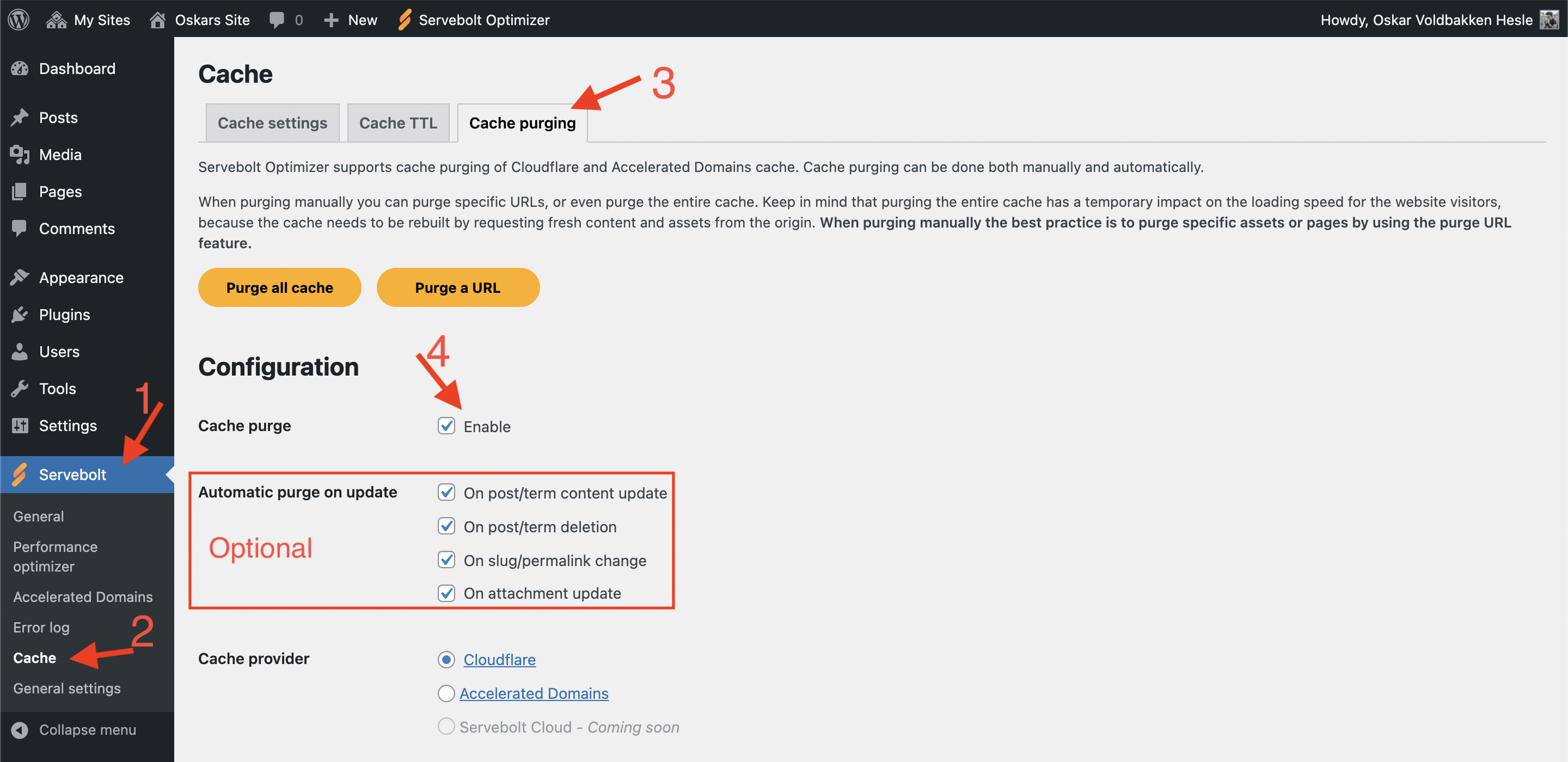
We have improved upon the automatic cache purging feature which comes with Servebolt Optimizer version 3.2 and up. As before, cache will purge when you update a post, page or term. In addition it will also now purge whenever you:
- Firstly, delete a post, page or term.
- Secondly, update an attachment (resizing, cropping, etc.). This will purge the URL, in addition to all image URLs should the attachment be an image.
- Lastly, exclude a post, page or term from caching in our plugin.
How do I turn on automatic purging with Servebolt Optimizer?
If your site already is connected to either Cloudflare or Accelerated Domains, then you are only one step away. In Servebolt Optimizer go to Cache, then Cache purging. There you will see an “Enable” checkbox for Cache purge setting.
Beneath that, you can find optional parameters to enable or disable to your hearts content.